If you have set up SPF and DKIM and someone is still spoofing your domain, DMARC is the missing piece. It is also the one most organisations set up and then never finish — the record goes in, it says p=none, and there it sits for three years doing nothing protective at all.
Check any domain's policy with the DMARC Checker.
The problem DMARC solves
SPF checks the envelope sender. DKIM checks a signature. Neither is required to have anything to do with the From: address your recipient actually sees.
So an attacker can send a message that passes SPF for their own domain, while displaying From: billing@yourcompany.com. Both mechanisms pass. The recipient sees your brand. Nothing has technically failed.
DMARC closes that gap with a concept called alignment: the domain that passed SPF or DKIM must match the domain in the visible From: header. If it does not align, DMARC fails regardless of what SPF and DKIM said individually.
Reading a DMARC record
DMARC lives at _dmarc.<domain> as a TXT record:
p= — the policy. The whole point of the record.
rua= — where aggregate reports are sent. Daily XML summaries of who sent mail as you and whether it passed. This is the most useful part of DMARC and it works even at p=none.
ruf= — forensic reports on individual failures. Far fewer providers send these, and they can contain message content, so treat them with care.
pct= — the percentage of mail the policy applies to. pct=25 with p=quarantine means quarantine a quarter of failing mail. Useful for phased rollout.
adkim= and aspf= — alignment strictness. r is relaxed, meaning subdomains count as aligned. s is strict, meaning the domain must match exactly. Relaxed is the default and is right for most people.
sp= — a separate policy for subdomains. If you do not set it, subdomains inherit p=.
The three policies
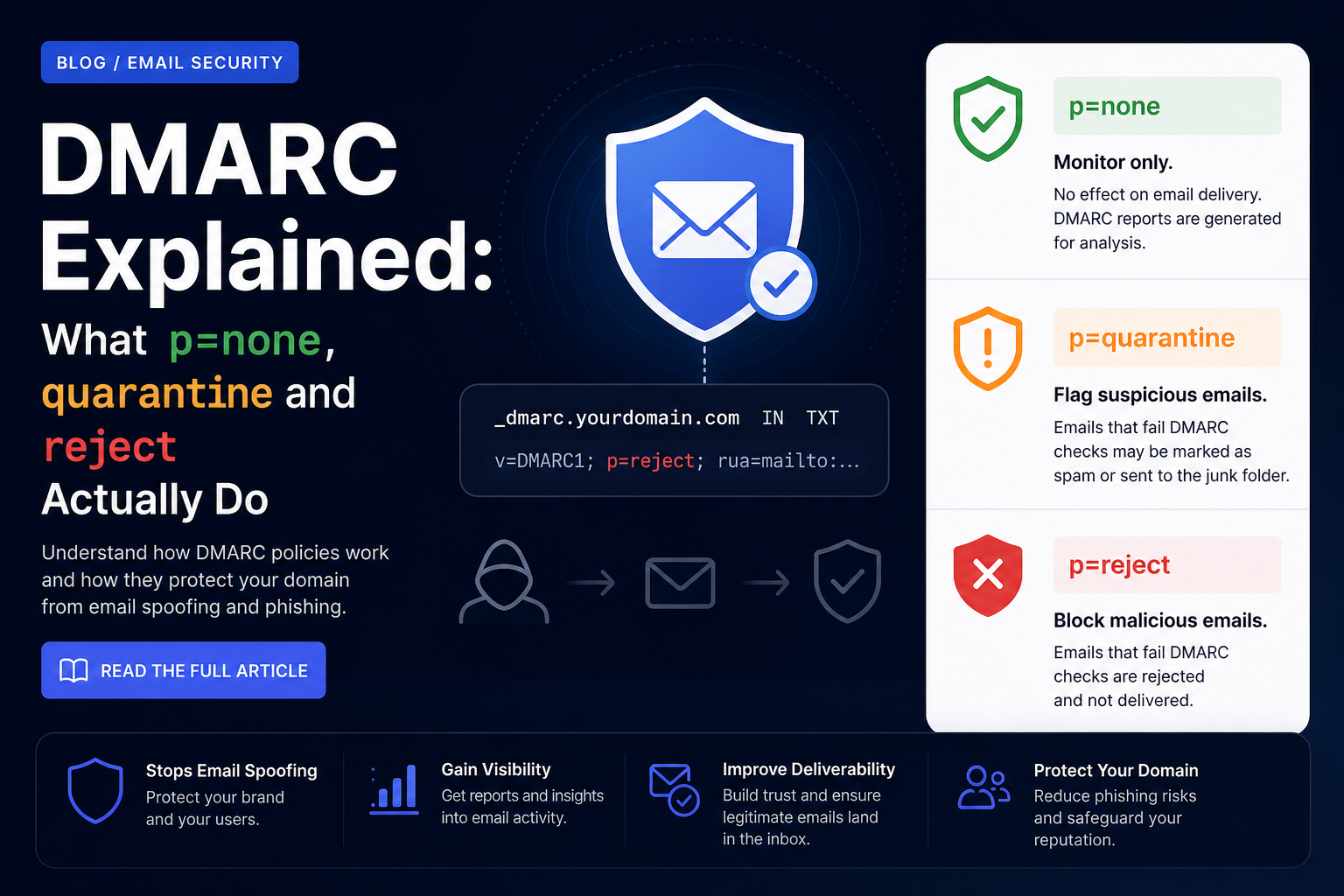
p=none
Monitor only. Failing mail is delivered exactly as it would have been without DMARC. Nothing is blocked.
This is the correct place to start and the wrong place to stop. Its value is entirely in the reports: for the first time you can see every system sending mail as your domain, including the three you forgot about and the one nobody will admit to setting up.
A domain sitting at p=none has DMARC configured but is not protected by it. Attackers check this.
p=quarantine
Failing mail should be treated as suspicious — in practice, delivered to spam. Recipients can still find it, which makes this a safe intermediate step. If you have missed a legitimate sender, someone will eventually notice a message in junk and tell you, rather than the mail vanishing.
p=reject
Failing mail should be refused outright at the SMTP conversation. It never reaches the mailbox, spam folder included.
This is the goal. It is also the setting that will silently destroy legitimate mail if your SPF and DKIM do not genuinely cover everything you send. Do not jump here.
Getting from none to reject without breaking things
A rollout that works, roughly over eight to twelve weeks:
- Publish
p=nonewithrua=. Do nothing else. Collect reports for at least two weeks. - Read the reports. They are XML and unpleasant by hand — use a report parser. You are looking for legitimate senders that are failing.
- Fix the gaps. Add missing systems to SPF, set up DKIM signing where it is absent. This is the actual work, and it is where the time goes.
- Move to
p=quarantine; pct=25. Watch for a week. Then 50, then 100. - Move to
p=reject. Again, ramp withpct=if you send at volume.
The slow part is step 3, and it cannot be skipped. Every organisation discovers a sending system nobody documented — usually invoicing, monitoring alerts, or a CRM someone signed up for with a company card.
What DMARC will not do
DMARC protects the exact domain in the From: header. It does nothing about lookalike domains.
If you lock down yourcompany.com completely, an attacker registers your-company.com or yourcompany.co and carries on. Those are different domains and your DMARC policy has no authority over them. Defending against that is a different exercise: monitoring registrations, and training people to actually look at sender addresses.
DMARC also does nothing about a genuinely compromised mailbox. If an attacker is sending from inside your real mail system, everything aligns and everything passes — because from the protocol's point of view, it is legitimate mail.
Checking yours
Run the domain through the DMARC Checker and confirm:
- The record exists at
_dmarc.yourdomain.comand startsv=DMARC1. p=is something other thannone— or you have a dated plan to get there.rua=points at a mailbox somebody actually reads.sp=is set if your subdomains should be treated differently.- There is exactly one DMARC record. Two is an error, same as with SPF.
Common questions
What does p=none mean?
Monitoring only. Failing mail is delivered normally. You get reports, but no protection.
Is DMARC enough to stop phishing?
It stops exact-domain spoofing once you reach quarantine or reject. It does nothing about lookalike domains or compromised accounts.
Do I need both SPF and DKIM?
DMARC passes if either aligns. But relying on SPF alone breaks on forwarding, so configure both.
How long before I can move to reject?
Realistically eight to twelve weeks, most of it spent finding and fixing legitimate senders that fail.
Where to go next
- Work through the set: SPF, DKIM, DMARC.
- When a specific message fails, the Email Header Analyzer shows you which check failed and why.
- Reports confusing you? Ask in the BitCops community.
- Free courses at courses.bitcops.net, walkthroughs on YouTube.
Comments
No comments yet. Be the first to add one.
Leave a comment
Your email is required so we can reply, and is never published or shared. Comments are reviewed before they appear.